Examples · Walkthrough

A working day. Connected.

Follow one job record from the site to the office, and see what happens when information needs to come back.

ExampleIllustrative workflow · fictional project data

Interactive walkthrough

How the walkthrough works

Six short chapters follow record NF-1042 from the site supervisor’s tablet to the office, back to site for a missing photograph, and into an organised job pack.

Guided playback takes about a minute and a half. You can pause at any time, choose a chapter, or take each step yourself.

  1. Work happens on site
  2. Capture it where it happens
  3. The office receives the record
  4. Someone checks what is missing
  5. Close the loop
  6. Bring the records together

Prefer to read? The illustrated version tells the same story with stills and the interface details.

ExampleIllustrative workflow · fictional project data

Illustrated version

The same working day, in six chapters

Stills from the 3D scene, what happens in each chapter, and the interface the supervisor and the office reviewer see. It needs no graphics support and works without JavaScript.

ExampleIllustrative workflow · fictional project data. Nothing here is a live system or a client project.

  1. Chapter 01 of 06

    Work happens on site
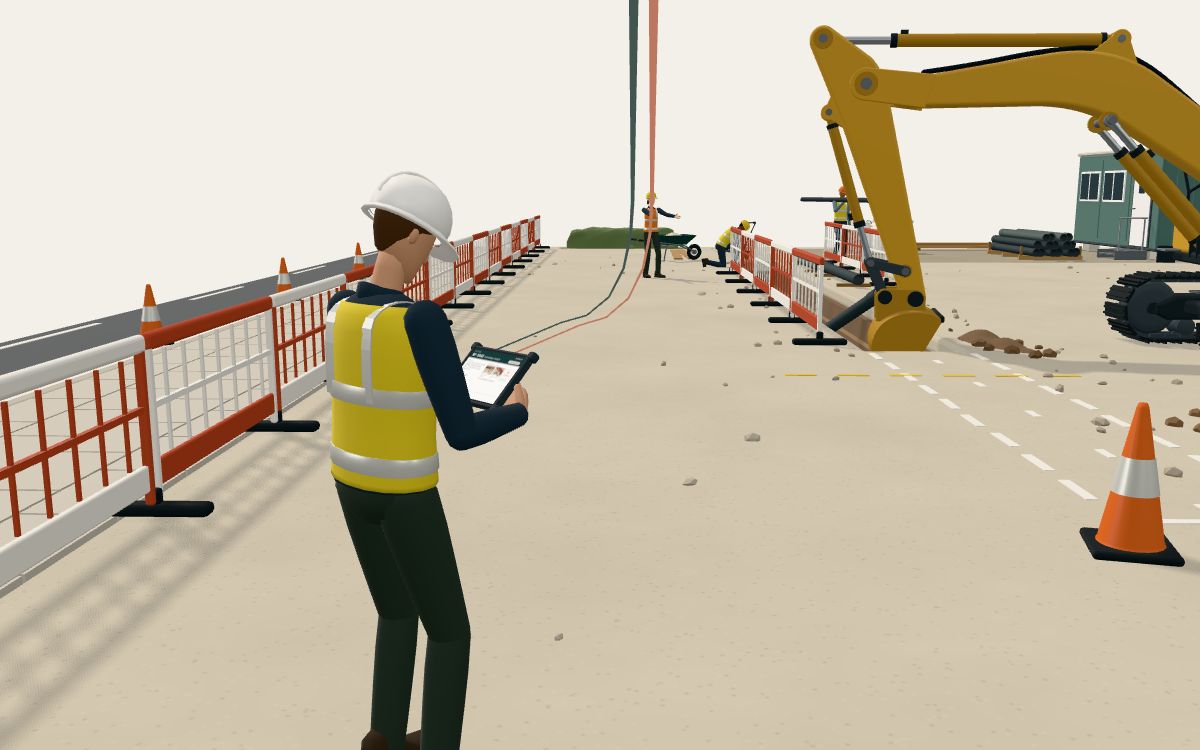
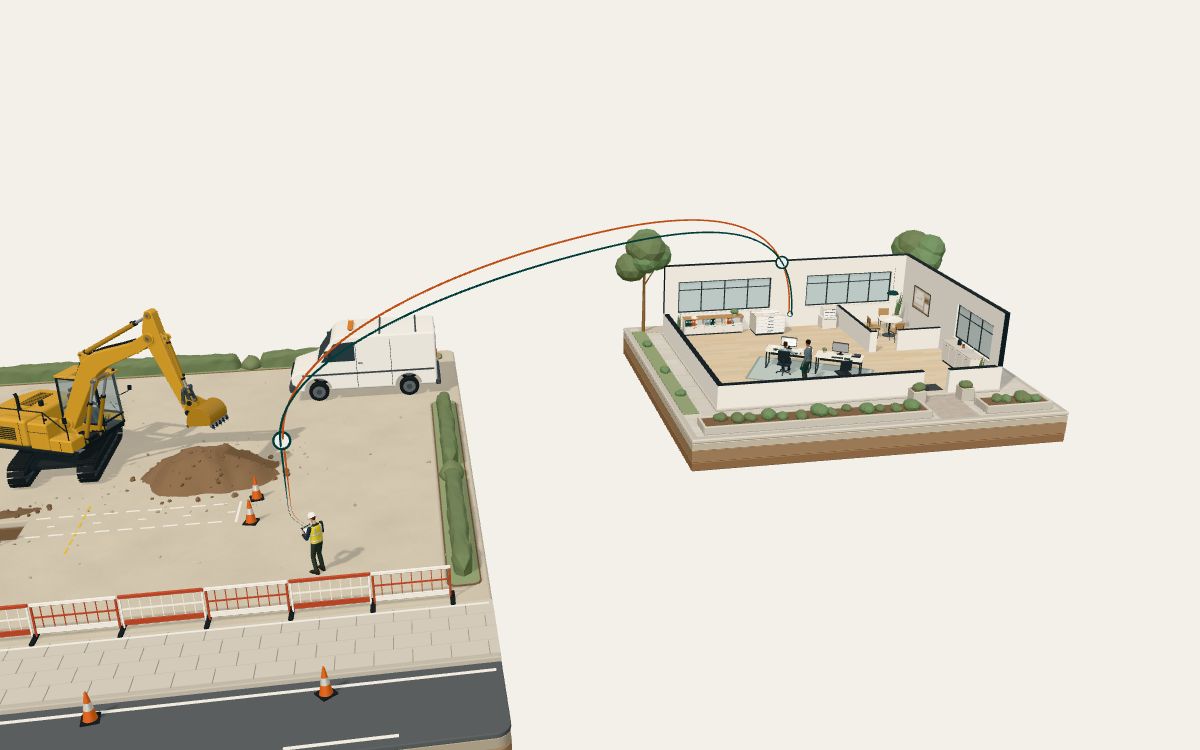
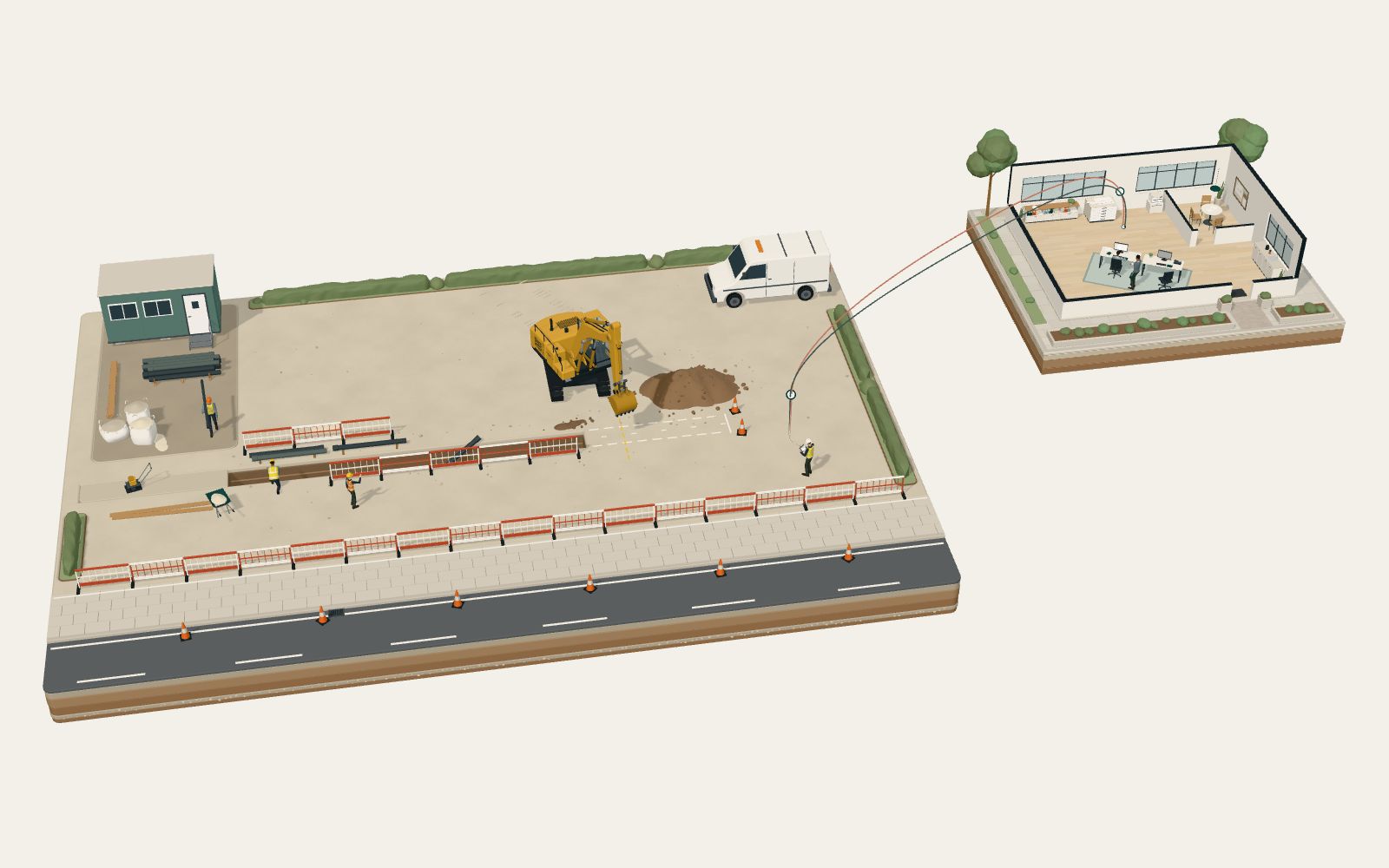
    A raised view of the miniature site: an excavator working at an open trench beside a road, workers laying ducts, and the supervisor with a tablet on the footway. A small cutaway office sits on a separate plinth to the right.
    The work starts here. The information needs to travel with it.

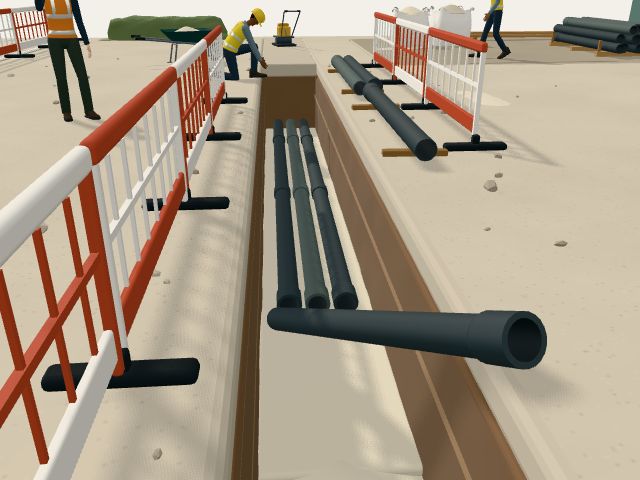
    A small crew is laying ducts beside the road on Northfield Link. The excavator opens the trench at the dig face, one worker guides duct lengths onto the bedding, and another carries the next length over from the stack.

    The site supervisor stands on the footway, outside the excavator’s working area, holding a tablet. Before anything is sent, the supervisor photographs the duct run and starts record NF-1042 for Section B.

    Everything in this walkthrough is illustrative. The project, people, times and photographs are fictional.

    Show the screen

    SiteSupervisor’s tablet

    Site record

    Record NF-1042

    Northfield Link

    Status: Recording on site

    Duct installation · Section B

    Work note

    Two 100 mm ducts laid on 150 mm bedding, 18 m run, draw ropes fitted. Final photograph to follow after surround.

    Photographs (2 attached)
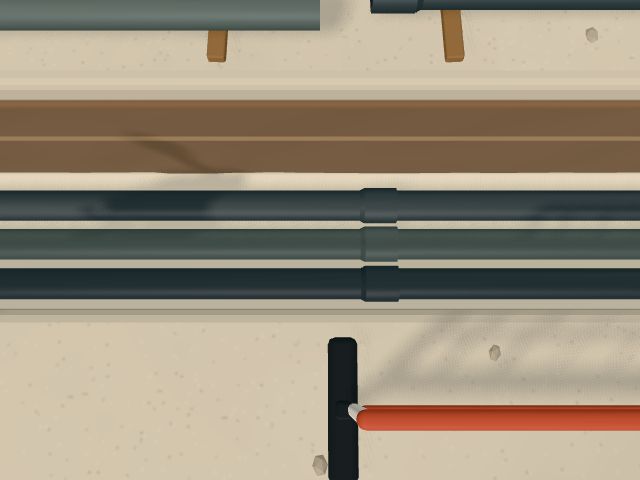
    • Two ducts laid side by side on sand bedding along the open trench.Duct run laid on beddingAttached
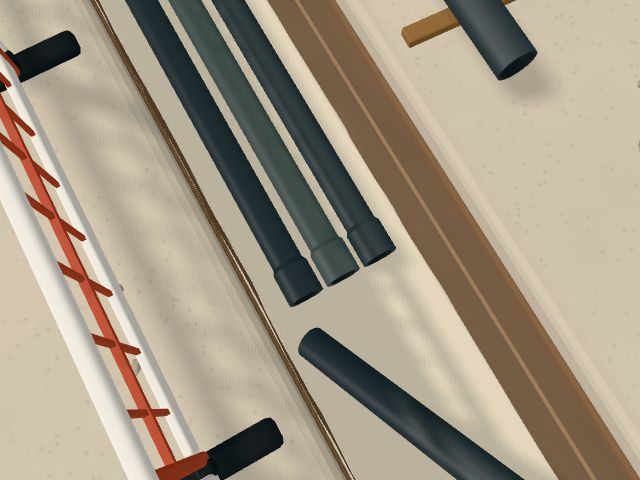
    • Close view of the duct ends at the dig face, with draw ropes fitted.Draw ropes and duct endsAttached
    • Final photograph · Section B surroundOutstanding
    Open items
    • Final photograph outstanding

    The record as it is started on site.
  2. Chapter 02 of 06

    Capture it where it happens

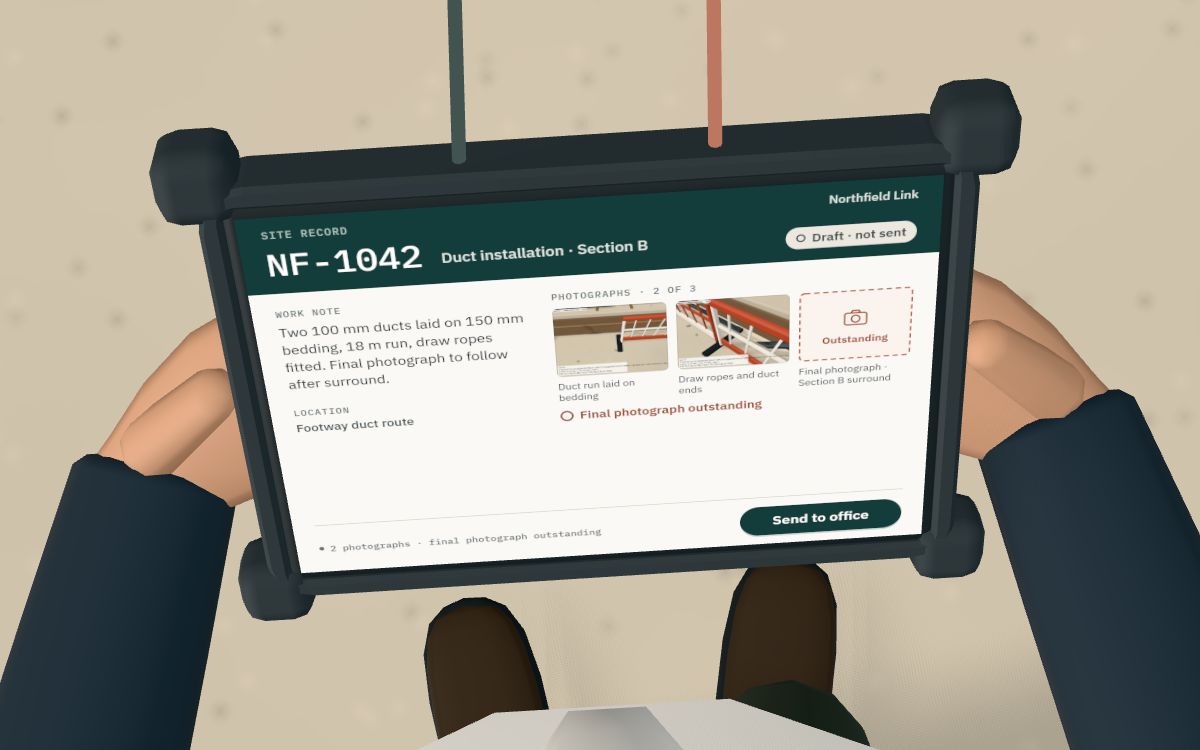
    Over the supervisor’s shoulder: the tablet shows record NF-1042 with two photographs, the final photograph outstanding and a button to send it to the office.
    Record the work once, with the details the office needs.

    The view moves in over the supervisor’s shoulder. The tablet shows record NF-1042: the task, a short work note and two example photographs of the duct run.

    The final photograph cannot be taken until the ducts have their surround, so the record says so plainly: “Final photograph outstanding”. The open item stays visible rather than hidden.

    The supervisor selects “Send to office”. The record is sent with the outstanding item still marked, so nobody has to guess what is missing.

    Show the screen

    SiteSupervisor’s tablet

    Site record

    Record NF-1042

    Northfield Link

    Status: Draft · not sent

    Duct installation · Section B

    Work note

    Two 100 mm ducts laid on 150 mm bedding, 18 m run, draw ropes fitted. Final photograph to follow after surround.

    Photographs (2 attached)
    • Two ducts laid side by side on sand bedding along the open trench.Duct run laid on beddingAttached
    • Close view of the duct ends at the dig face, with draw ropes fitted.Draw ropes and duct endsAttached
    • Final photograph · Section B surroundOutstanding
    Open items
    • Final photograph outstanding

    The supervisor selects “Send to office”.

    History
    1. Site supervisor Record captured with 2 photographs

    Ready to send, with the final photograph still marked as outstanding.

  3. Chapter 03 of 06

    The office receives the record

    The fine route line between the site and the office, with the record arriving on the office monitor.
    The same record reaches the office, without someone rebuilding it from messages.

    A small pulse follows the route line from the site to the office. It stands for the record travelling. The transmission is simulated for this illustration, and the time it takes on screen says nothing about real delivery times.

    The office monitor changes only when the record arrives. It is the same record, NF-1042, with the same note and photographs, and its status reads “Received · review pending”. Nobody has to piece it together from messages or phone calls.

    Show the screen

    Office / HQOffice monitor

    Office review

    Record NF-1042

    Northfield Link

    Status: Received · review pending

    Duct installation · Section B

    Work note

    Two 100 mm ducts laid on 150 mm bedding, 18 m run, draw ropes fitted. Final photograph to follow after surround.

    Photographs (2 attached)
    • Two ducts laid side by side on sand bedding along the open trench.Duct run laid on beddingAttached
    • Close view of the duct ends at the dig face, with draw ropes fitted.Draw ropes and duct endsAttached
    • Final photograph · Section B surroundOutstanding
    Open items
    • Final photograph outstanding

    The office reviewer selects “Request final photograph”.

    History
    1. Site supervisor Record captured with 2 photographs
    2. Site supervisor Sent to office
    3. Office Record received · review pending

    Transmission simulated for this illustration

    The same record, as the office receives it.

  4. Chapter 04 of 06

    Someone checks what is missing

    The office reviewer at the desk, with the monitor showing record NF-1042, two photographs and the final photograph outstanding.
    Missing information becomes a clear request, not another round of chasing.

    An office reviewer opens the record. The task, the work note and the same two photographs are there, and the final photograph is still marked as outstanding.

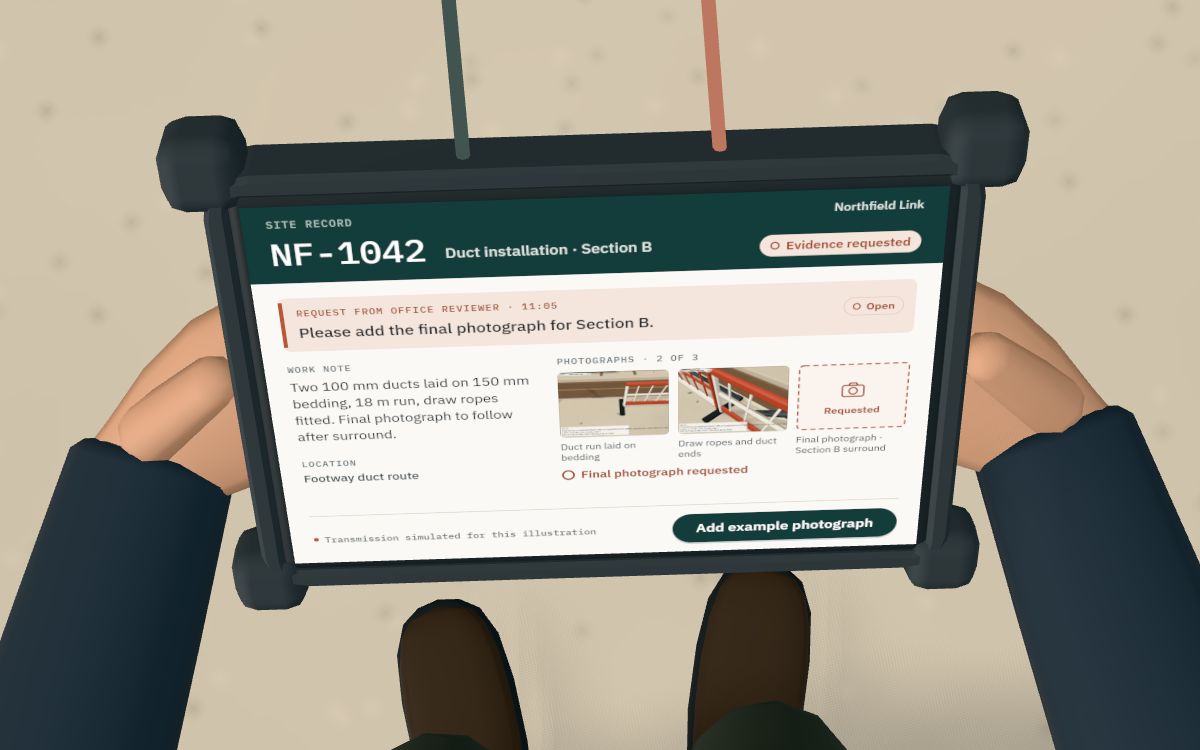
    The reviewer is a person making a judgement, not software deciding anything. They select “Request final photograph”, and the request goes back to site with a clear message: “Please add the final photograph for Section B.”

    The record now shows “Evidence requested”, and a pulse travels back along the return line to the supervisor’s tablet.

    Show the screen

    Office / HQOffice monitor

    Office review

    Record NF-1042

    Northfield Link

    Status: Evidence requested

    Duct installation · Section B

    To Site supervisor · · Open

    Please add the final photograph for Section B.

    Work note

    Two 100 mm ducts laid on 150 mm bedding, 18 m run, draw ropes fitted. Final photograph to follow after surround.

    Photographs (2 attached)
    • Two ducts laid side by side on sand bedding along the open trench.Duct run laid on beddingAttached
    • Close view of the duct ends at the dig face, with draw ropes fitted.Draw ropes and duct endsAttached
    • Final photograph · Section B surroundRequested
    Open items
    • Final photograph requested
    History
    1. Site supervisor Record captured with 2 photographs
    2. Site supervisor Sent to office
    3. Office Record received · review pending
    4. Office reviewer Final photograph requested

    Transmission simulated for this illustration

    After the reviewer’s request.

  5. Chapter 05 of 06

    Close the loop

    The supervisor’s tablet showing the office’s request and three attached photographs, ready to send the update.
    The answer stays attached to the job, and the office can see what changed.

    Back on site, the request appears on the supervisor’s tablet alongside the same record, so there is no doubt about which job it refers to. The supervisor adds the final photograph (here, a bundled example image) and the record shows three photographs.

    Adding the photograph and sending the update are separate steps. Once the update reaches the office, the reviewer looks at the new photograph and marks it as checked.

    Sent, received and checked each stay visible as separate entries in the record’s history, with the time and the role of the person involved.

    Show both screens

    SiteSupervisor’s tablet

    Site record

    Record NF-1042

    Northfield Link

    Status: Photograph added · not sent

    Duct installation · Section B

    From Office reviewer · · Open

    Please add the final photograph for Section B.

    Work note

    Two 100 mm ducts laid on 150 mm bedding, 18 m run, draw ropes fitted. Final photograph to follow after surround.

    Photographs (3 attached)
    • Two ducts laid side by side on sand bedding along the open trench.Duct run laid on beddingAttached
    • Close view of the duct ends at the dig face, with draw ropes fitted.Draw ropes and duct endsAttached
    • The ducts in Section B with their surround placed, ready for backfill.Final photograph · Section B surroundAdded

    The supervisor selects “Send update to office”.

    History
    1. Site supervisor Record captured with 2 photographs
    2. Site supervisor Sent to office
    3. Office Record received · review pending
    4. Office reviewer Final photograph requested
    5. Site supervisor Request received on site
    6. Site supervisor Final photograph added

    Transmission simulated for this illustration

    The request on site, with the example photograph added.

    Office / HQOffice monitor

    Office review

    Record NF-1042

    Northfield Link

    Status: Final photograph checked

    Duct installation · Section B

    To Site supervisor · · Answered

    Please add the final photograph for Section B.

    Work note

    Two 100 mm ducts laid on 150 mm bedding, 18 m run, draw ropes fitted. Final photograph to follow after surround.

    Photographs (3 attached)
    • Two ducts laid side by side on sand bedding along the open trench.Duct run laid on beddingAttached
    • Close view of the duct ends at the dig face, with draw ropes fitted.Draw ropes and duct endsAttached
    • The ducts in Section B with their surround placed, ready for backfill.Final photograph · Section B surroundChecked
    History
    1. Site supervisor Record captured with 2 photographs
    2. Site supervisor Sent to office
    3. Office Record received · review pending
    4. Office reviewer Final photograph requested
    5. Site supervisor Request received on site
    6. Site supervisor Final photograph added
    7. Site supervisor Update sent to office
    8. Office Updated record received · check pending
    9. Office reviewer Final photograph checked

    Transmission simulated for this illustration

    Back in the office, once the update has been checked.

  6. Chapter 06 of 06

    Bring the records together

    A wide view of the site and the office together, with the office monitor showing the job pack ready for client review.
    From work on site to an organised record for the next person.

    The office view now shows an organised job pack for NF-1042: the record, all three photographs, the work note and the review history with times and roles.

    Its status is “Ready for client review”. That means the records are organised for the next person to look at. It is not an approval, a sign-off or a payment decision, and nothing is exported in this illustration.

    Show the screen

    Office / HQOffice monitor

    Office review

    Job pack · NF-1042

    Northfield Link

    Status: Ready for client review

    Duct installation · Section B

    Pack contents
    Record
    NF-1042 · Duct installation · Section B
    Project
    Northfield Link
    Photographs
    3 photographs · final photograph checked
    Work note
    Included
    Review history
    10 entries

    Ready for client review means the records are organised for the next person to look at. It is not an approval.

    Photographs (3 attached)
    • Two ducts laid side by side on sand bedding along the open trench.Duct run laid on beddingAttached
    • Close view of the duct ends at the dig face, with draw ropes fitted.Draw ropes and duct endsAttached
    • The ducts in Section B with their surround placed, ready for backfill.Final photograph · Section B surroundChecked
    Work note

    Two 100 mm ducts laid on 150 mm bedding, 18 m run, draw ropes fitted. Final photograph to follow after surround.

    History
    1. Site supervisor Record captured with 2 photographs
    2. Site supervisor Sent to office
    3. Office Record received · review pending
    4. Office reviewer Final photograph requested
    5. Site supervisor Request received on site
    6. Site supervisor Final photograph added
    7. Site supervisor Update sent to office
    8. Office Updated record received · check pending
    9. Office reviewer Final photograph checked
    10. Office reviewer Job pack ready for client review

    Transmission simulated for this illustration

    The organised job pack.

Back to the 3D walkthrough

Next step

Which of your records keeps coming back incomplete?

Bring one workflow, such as daily site records, evidence requests or job packs. We will talk it through and suggest a sensible next step.